
Why Houston Kids Should Take Their Robots Home: Projects That Stick
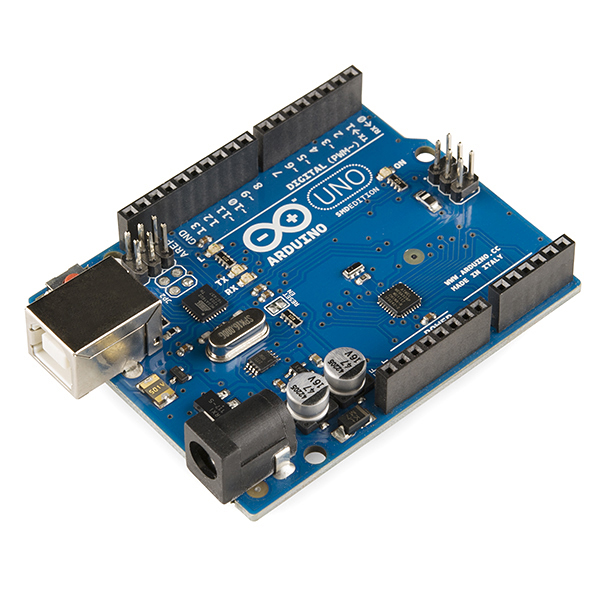
Parents searching for robotics classes for kids in Houston, The Woodlands, Katy, Cypress, or Sugar Land often ask what children actually keep. LearnToBot students build real Arduino, sensor, and coding projects and take them home.
Saturday pickup lines in The Woodlands, Katy, Cypress, and Sugar Land are full of the same question: what did you actually make? Screen-only coding can fade by Monday. A robot that still blinks on the kitchen table does not.
Families looking for robotics classes for kids in Houston, coding classes for kids in The Woodlands, or a serious STEM program across Greater Houston are usually comparing more than schedules. They want projects a child can explain, show a grandparent, and keep improving at home.
Why take-home builds matter more than another worksheet
Hands-on engineering sticks because the mistake is physical. A loose jumper wire, a backward LED, or a sensor that reads the ceiling instead of the floor is immediate feedback. The National Academies’ Framework for K-12 Science Education treats engineering design as a core practice, not an add-on: students define a problem, try a solution, and revise it with evidence. That loop is hard to fake on a slide deck.
A take-home kit also changes the week between classes. Kids reopen the chassis, retune a motor, or show a sibling how an ultrasonic sensor measures distance. Parents get a visible trail of progress instead of a login they never see.
What Greater Houston students actually build
LearnToBot pathways are built around hardware kids leave with, not rental bins that go back on the shelf. Projects scale with age:
- Custom Controllers (about age 8+): breadboards, safe wiring, buttons, and LEDs that become a controller the child designed.
- RC Explorer (about age 10+): a rolling robot with motors and remote control, the kind of build that survives the car ride home.
- Heavy Lift Crane (about age 10+): gears, levers, and load limits, so mechanics is more than a vocabulary word.
- Smart Tollway (about age 12+): sensors, logic, and a small system that decides when to open a gate.
- Car Racing Game (age 6+): Scratch-style logic, events, and loops for younger students before they move into typed code.
Older students shift from blocks to real Python on microcontrollers, then into AI and computer vision with OpenCV and edge devices. Those capstones are the pieces families later use for college portfolios, because a reviewer can see the circuit, the code, and the result.
How LearnToBot runs the class
Weekly sessions run in neighborhood venues across Greater Houston, including The Woodlands, Katy, Cypress, and Sugar Land, with one-hour and two-hour options. The instructor ratio is 1:5, so a child who is new to Scratch and a child already writing Python are not forced through the same slide. Missed weeks are not lost: make-up hours can be used at any location.
That combination is the practical answer to “best STEM program Greater Houston” searches. Real electronics, code that moves motors, and a project that goes home. Summer robotics camps in Sugar Land, Katy, and nearby communities use the same idea in a longer block: build, test, and keep the hardware.
Parents comparing AI for kids in Katy, TX, or coding classes near The Woodlands can skim the curriculum roadmap and Sugar Land schedules before committing. School partners looking for Code Busters or a Demo Day showcase can use the same project sequence inside a campus partnership.
A simple check before you enroll
Ask any program three questions: Does my child keep the robot? Who is actually coaching the wiring when it fails? Can a missed week be made up without restarting the project? If the answers are vague, the portfolio piece at the end of the year will be vague too.
LearnToBot’s answer is concrete: small classes, Arduino and sensors on the table, and take-home builds from RC Explorer to Smart Tollway and beyond.
Book a free trial and see the hardware in person: https://www.learntobot.com/trial.